Engineering note
AI Software Development Environments: Choosing Between Vibe Coding and Verified Agent Workflows

The competition among AI coding tools has moved from “who can complete the next line” to “who can understand a real repository, plan a change, call tools, run tests, and recover when the first attempt fails.”
In Martin Heller’s August 2026 guide to AI-powered software development environments, InfoWorld surveys GitHub Copilot, Google Antigravity, JetBrains Air, Kiro, Zed, and Zenflow.
The durable lesson is not a product ranking. It is an engineering transition: development environments are becoming workspaces for coordinating coding models, agents, and change verification.
The selection question is therefore no longer just “which model writes the best code?” It is whether the environment keeps task risk within acceptable bounds and makes agent mistakes visible, stoppable, and recoverable.
From code completion to delegated software work
Developer tools moved from word completion to line completion, function completion, and eventually program generation. Once a model is connected to an agent harness or IDE, it can inspect a repository, propose edits, compile, run tests, and iterate on the results.
That shifts the engineer’s center of gravity from typing every line to defining the problem, reviewing changes, verifying outcomes, and owning the decision. This does not make coding irrelevant. It moves quality control upward: if developers neither inspect nor test what the agent did, they are exchanging generation speed for technical debt.
That is the shared principle behind Bloss0m’s AI Agent guide and Harness Engineering guide: models may propose and execute steps, but state, tools, permissions, tests, and stop conditions still need engineering.
Vibe coding and structured development are not binary choices
The InfoWorld article captures the current tension well: vibe coding is fast but gives developers little control over the final result, while specification-driven development (SDD) provides a single source of truth but can be too heavy for ordinary tasks. The right answer is not one permanent winner. It is enough structure for the cost of failure.
| Working style | Main strength | Common failure mode | Good fit |
|---|---|---|---|
| Vibe coding | Low startup and exploration cost | Requirement drift, weak traceability, accumulating debt | Disposable prototypes and low-risk spikes |
| Specification-driven development | Traceable requirements, design, and tasks | Documentation overhead; specs can become stale | Cross-module features and acceptance-driven work |
| Behavior or facts first | Turns behavior or executable invariants into checkpoints | Tests can create false confidence when coverage is weak | Features with explicit inputs, outputs, and invariants |
| Intent-driven workflow | Preserves intent, context, and expectations without a full spec | The method is still evolving and team semantics may differ | Work that needs clarification without a large upfront design |
The article’s references to behavior-driven development, facts first, and intent-driven software development (IDSD) are best treated as design options, not established standards implemented consistently across products. Teams can borrow the ideas, but must still define their artifacts, review points, and success conditions.
Six AI development environments solve different problems
The comparison below starts from InfoWorld’s August 2026 product snapshot and translates the descriptions into platform-engineering terms. Versions, prices, model lists, and feature availability change; final decisions should use the current vendor documentation and a trial in your own repository.
| Environment | Primary position | Main control surface | What to validate |
|---|---|---|---|
| GitHub Copilot | Mature coding assistant and agent surface across IDEs, CLI, and GitHub | Plan, Ask, and Agent modes; models, MCP, and plugins | Tool and permission governance, token cost, and client consistency |
| Google Antigravity | Agent-first desktop, IDE, CLI, and SDK ecosystem | Agent manager, browser subagent, skills, and terminal/browser actions | Long-running permissions, browser side effects, observability, and cost |
| JetBrains Air | Task execution environment with selectable agent providers | Local Workspace, Git Worktree, Docker, Cloud, and plan/permission modes | Isolation, provider and model substitution, and cloud data boundaries |
| Kiro | Structured agentic development through specs, steering, and hooks | Requirements, design, tasks, EARS, and property-based tests | Whether artifacts reduce rework and remain synchronized with code |
| Zed | Fast editor with agentic editing and BYOK model integration | Inline edits, code-review skills, model providers, collaboration, and remote development | Latency, model cost, review gates, and local versus remote workspaces |
| Zenflow | Workflow orchestration for multiple coding agents | Quick Change, Fix Bug, Spec and Build, Full SDD, and parallel worktrees | Task decomposition, retries, test gates, cross-agent review, and recovery |
GitHub Copilot: breadth and integration do not equal governance
Copilot has many entry points: VS Code, Visual Studio, Vim, Neovim, JetBrains IDEs, the CLI, and the GitHub website. Its documentation also continues to expand the supported model set; in VS Code, AI Toolkit or local Ollama can add more choices.
More important, Copilot separates agent work into modes such as Plan, Ask, and Agent: research and outline a plan, chat without changing files, or edit the workspace. MCP servers and plugins add more tools, which increases capability and the permission surface at the same time.
The evaluation question is therefore not “how many models are supported?” It is: which agents can use which tools, where does policy take effect, and how can the team observe token or request cost? GitHub’s documentation on agent mode and MCP explains the capability and policy entry points, but the team still needs to test enforcement across its own client matrix.
Google Antigravity: extending the agent manager to desktop, CLI, and browser
Antigravity 2.0, Antigravity IDE, CLI, and SDK split agent-first development across connected interfaces. InfoWorld highlights the browser subagent, which can click, scroll, type, read console logs, capture the DOM, take screenshots, and record video.
That makes it closer to an agent operating an environment than a chat panel inside an editor.
This is useful for end-to-end checks, browser interactions, and long-running coordination. It also makes the risks concrete: browser sessions, account permissions, external website state, and terminal commands can all create real side effects. Before adoption, define which actions require approval, which results can be replayed, and how a long-running agent is stopped.
JetBrains Air: choose the agent and the execution environment separately
Air’s differentiator is not one model or one IDE. It lets teams combine a provider, permission mode, and task run environment. A task can run in the current workspace or in a Git worktree, Docker, or cloud environment; the official documentation makes the isolation differences explicit.
This is valuable for platform teams because “how well the agent works” and “where the agent edits files” can be measured separately. But an isolation label is not evidence of isolation. Validate secrets, network, filesystem, Git branch, artifacts, and cloud logs, and define cleanup and recovery for every environment.
Kiro: use specification artifacts to resist context drift
Kiro IDE turns spec-driven development into an explicit file workflow: requirements.md captures user stories and acceptance criteria, design.md captures architecture and implementation considerations, and tasks.md breaks work into trackable units. Kiro’s official documentation also uses EARS-style requirements and supports generating property-based tests from them.
This fits cross-module features and work that needs team alignment because the agent receives reviewable and persistent artifacts rather than one prompt. The cost is maintenance: when requirements, design, and tasks drift from the repository, the spec stops being a source of truth and becomes a misleading map.
Zed: speed and model freedom still need a review loop
Zed is built in Rust and emphasizes speed and multi-model integration, with a strong bring-your-own-key pattern. It also supports agentic editing, code-review skills, collaboration, and remote development. That makes it attractive for engineers who know the repository and want a low-friction environment for small changes or review.
But speed is not verification. InfoWorld’s test flow is more useful than the performance claim: the author first asked Zed to review a C++ π calculation program, then reviewed the suggestions, authorized implementation, and asked it to validate the changes. The human approval point and test result are the parts worth copying—not the idea that the agent should be left alone after generating a diff.
Zenflow: connect specifications, parallel tasks, and verification
Zenflow positions itself as a workflow platform for coordinating AI agents, with structures such as Quick Change, Fix Bug, Spec and Build, and Full SDD.
Tasks can be split into subtasks and run in isolated Git worktrees, with automated tests and cross-agent code review acting as verification gates.
This fits teams that need parallel progress without letting agents contaminate a shared workspace. Orchestration also adds management complexity: how work is decomposed, how failures are retried, whether reviews are truly independent, and how parallel worktree cost is controlled all need project-level testing.
Four control surfaces matter more than the model list
Across the six products, a longer-lived selection framework emerges. Evaluate an AI development environment across at least four dimensions:
1. Autonomy and permissions
Which files can the agent read and write? Which tools can it call? Can it access the network, operate a browser, or execute shell commands? Plan, Ask, Agent, and full access are interface labels; the team must map them to actual capabilities.
2. Context and tool supply chain
Which repository, spec, skill, MCP server, plugin, branch, and historical decision does the agent see? Richer context can improve usefulness while increasing the need to record source, version, and scope. Attaching more tools does not automatically make an agent more reliable.
3. Isolation and recovery
Does the task run in the current tree, a Git worktree, Docker, a remote container, or the cloud? When it fails, can the team discard the environment, restore the branch, retain logs, and rerun the task? Isolation reduces blast radius; it does not guarantee correct output.
4. Verification and human gates
Does the environment compile, test, lint, review, or require human approval? Verification should exist both before and after side effects: first constrain what the agent can do, then inspect what it did.
This is the same direction described in From Vibe Coding to Harness Engineering: productivity does not mean giving the agent maximum freedom. It means placing autonomous action inside observable, verifiable, recoverable boundaries.
A practical selection decision tree
There is no need to start with a vote on “which IDE is strongest.” Classify tasks by failure cost first:
- Low-risk, disposable exploration: use a fast editor or coding assistant such as Zed or Copilot’s Ask/Agent entry points; require basic diff review and tests.
- Cross-file features with explicit acceptance: prefer a plan or spec artifact, such as Kiro, Air’s plan mode, or a repository-local requirements/design/tasks workflow.
- Browser, external-tool, or long-running tasks: inventory credentials, network, browser sessions, and stop conditions before evaluating an agent-first surface such as Antigravity. Do not jump from “it can operate automatically” to “it can run unsupervised.”
- Parallel work with isolation and repeated verification: evaluate Zenflow or Air’s worktree, Docker, and cloud modes while measuring fan-out, retries, review, and cleanup cost.
- Enterprise rollout: standardize the repository contract, tool registry, policy, cost telemetry, test gates, and human handoff before approving a product. Otherwise the team has several agents attached to a toolbox with no shared operating standard.
Five experiments to run before team adoption
Use the same small repository and task set to compare environments:
- Task completion: measure not just whether a diff exists, but whether tests, lint, review, and acceptance all pass.
- Human takeover rate: record stalls, permission requests, wrong turns, and rework.
- Change traceability: confirm that every change maps back to a prompt, spec, tool call, model, branch, and test result.
- Failure recovery time: deliberately break a dependency, test, or external service and measure safe stop, restore, and rerun behavior.
- Total cost: combine tokens, subscriptions, GPUs, containers, cloud, external APIs, review time, and rework in one accounting model.
This measures the development environment rather than a model’s polished output on one demo prompt. Comparing only generation speed can select a tool that makes prototypes faster while making maintenance and incident response slower.
Boundaries of this snapshot
The InfoWorld piece is a first-person product tour and practical observation, not a standardized benchmark with the same task, model, and cost conditions across all tools. Keep these boundaries explicit:
- “Zed is fast” or “a tool is mature” is an author observation, not an independent cross-tool ranking.
- Model counts, prices, token billing, default modes, and version numbers change quickly and should not be hard-coded into enterprise architecture.
- Documentation can establish that a feature exists; it cannot by itself prove output quality, test completeness, or production readiness.
- Worktrees, Docker, and cloud environments can reduce file contamination and side-effect scope, but they do not correct a bad requirement or bad code.
- “There is no single winner” is not evasive. The tools optimize different control surfaces: speed, model freedom, specifications, isolation, coordination, or browser operation.
Three takeaways for engineering teams
- Classify task failure cost before choosing agent autonomy; do not put every task into the same full-access mode.
- Preserve repository context, skills, MCP, branch, model, tool calls, and test results as replayable evidence so the workflow does not depend on one chat session.
- Treat tests, code review, permission approval, and failure recovery as part of the development environment. A mature AI coding workflow is the whole system of generation, control, and verification.
For the next step, read the AI Agent guide for the architecture map, the Harness Engineering guide for repository design, and How Multi-Agent Coding Teams Coordinate: TAKT’s YAML Workflows for the responsibility boundaries of parallel coding agents.
Primary sources
Related engineering notes
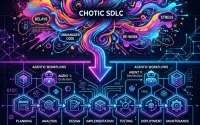
- AI Engineering From Vibe Coding to Harness Engineering: A Comprehensive Guide to Google's New 50-Page SDLC Whitepaper An in-depth review of Google's latest 50-page whitepaper, 'The New SDLC With Vibe Coding', released in 2026. This article breaks down the transformation of the Software Development Life Cycle in the AI era, the Model + Harness framework, automated feedback loops, and the essential skills for developers transitioning into 'quality arbitrators'.
- AI Engineering Stanford CS Professor Chris Piech: AI Can Code, So Why Should You Still Learn Programming? Stanford CS Professor Chris Piech breaks down software engineering education in the AI era: while LLMs handle syntax, problem-solving, architectural thinking, and human empathy remain irreplaceable multipliers.

- AI Engineering Claude Dreaming: How Agents Consolidate Long-Term Memory Offline Clarifying the scope of Anthropic's Dreaming feature, what asynchronous memory consolidation can and cannot solve, and how to design a reviewable local Dream Gate.