
Overview
Text2Podcast is a full-stack podcast generation application that automatically creates professional podcast audio from text content. It uses AI to convert text into a natural and fluent two-speaker dialogue script. After optimization, it synthesizes the script using Google Cloud TTS (Gemini 2.5 Flash) and outputs a merged MP3 file and a transcript (PDF). It is ideal for quickly transforming articles, speeches, or notes into listenable programs.
Key Features
- Smart Transcript Generation — Uses AI to convert input text into a two-speaker dialogue script. Supports three length modes: SHORT (about 7 minutes), MEDIUM (about 15 minutes), and LONG (about 30 minutes).
- Review and Edit — Allows users to review and edit the AI-generated transcript, or regenerate a new version. Once confirmed, it proceeds to optimization and voice settings.
- Two-Speaker TTS — Uses Google Cloud TTS to synthesize natural voices. Users can select and preview voices for Speaker 1 and Speaker 2 respectively. The default voices are Kore and Charon.
- Real-time Progress and Download — Displays synthesis progress in real-time via SSE. Once completed, users can preview the audio and download the merged MP3 and transcript (PDF).
System Interface and Workflow
The following screenshots correspond to each step of the operational workflow.
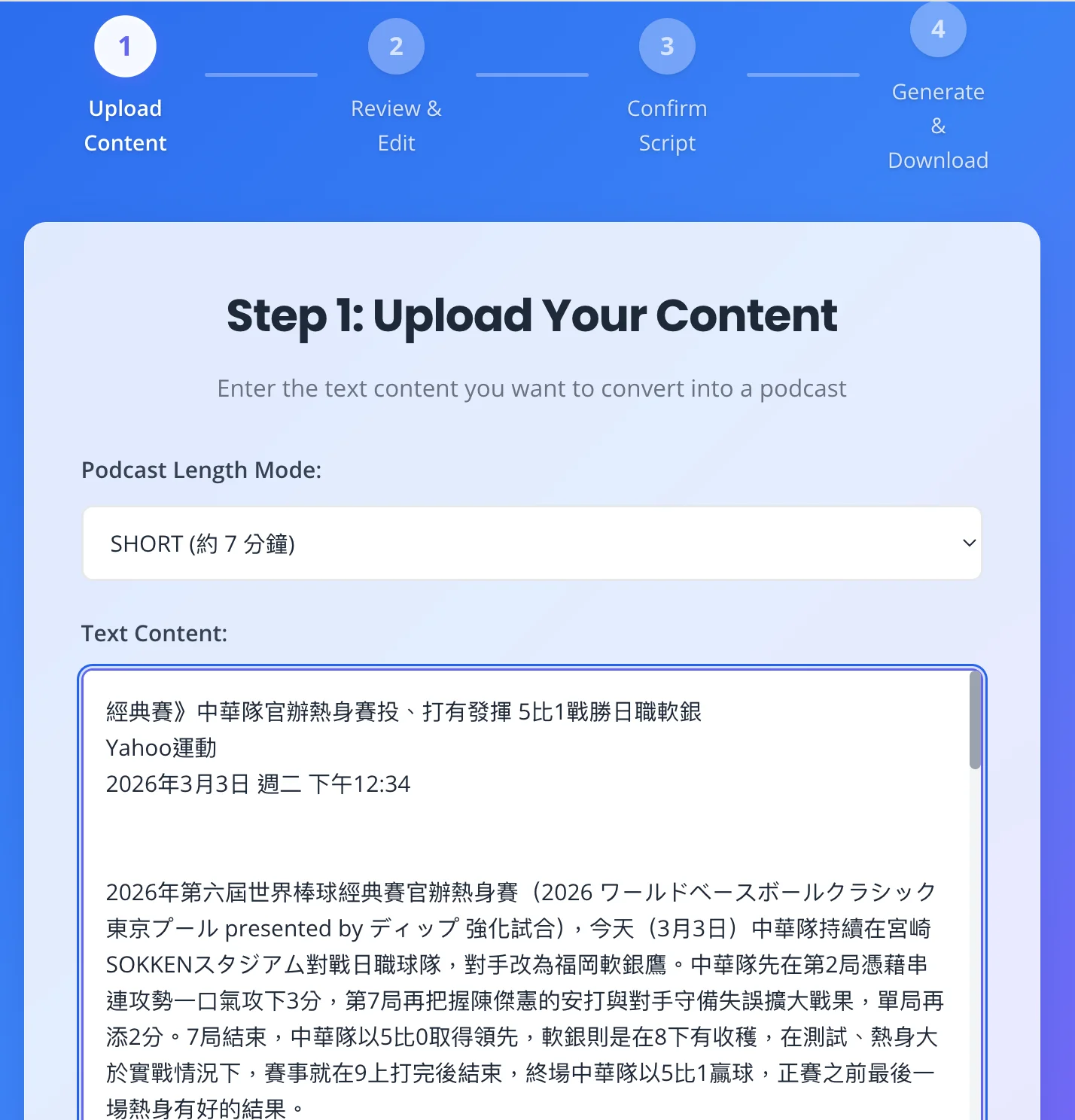
Step 1: Upload Content
Enter or paste the text you want to convert into a podcast, select a length mode (SHORT / MEDIUM / LONG), and click “Start Generation”. The backend will generate the initial transcript and navigate to Step 2.
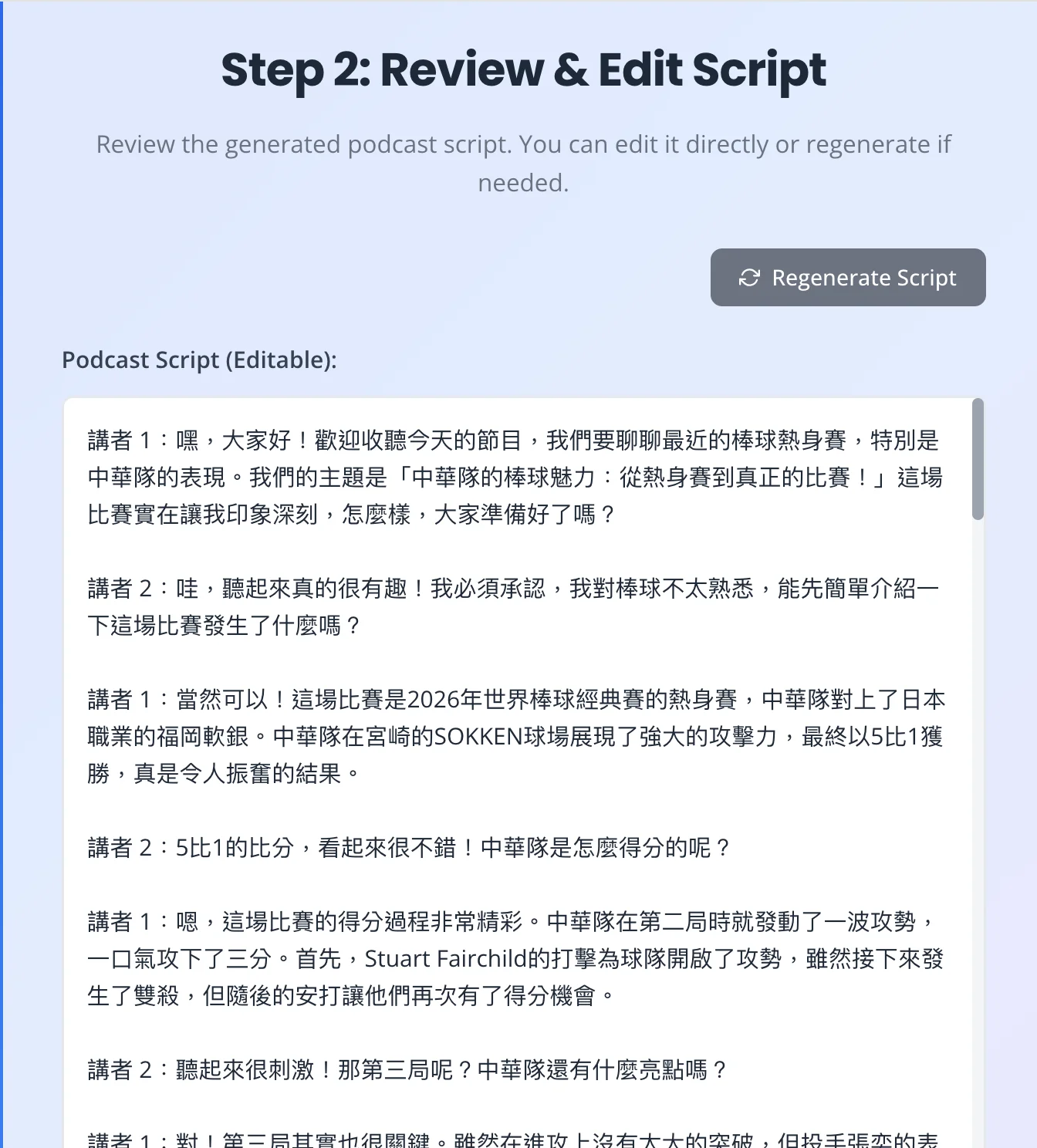
Step 2: Review and Edit Transcript
Review the AI-generated two-speaker dialogue script. You can directly edit the text or click “Regenerate” to create a new version. Once confirmed, proceed to Step 3 for optimization.
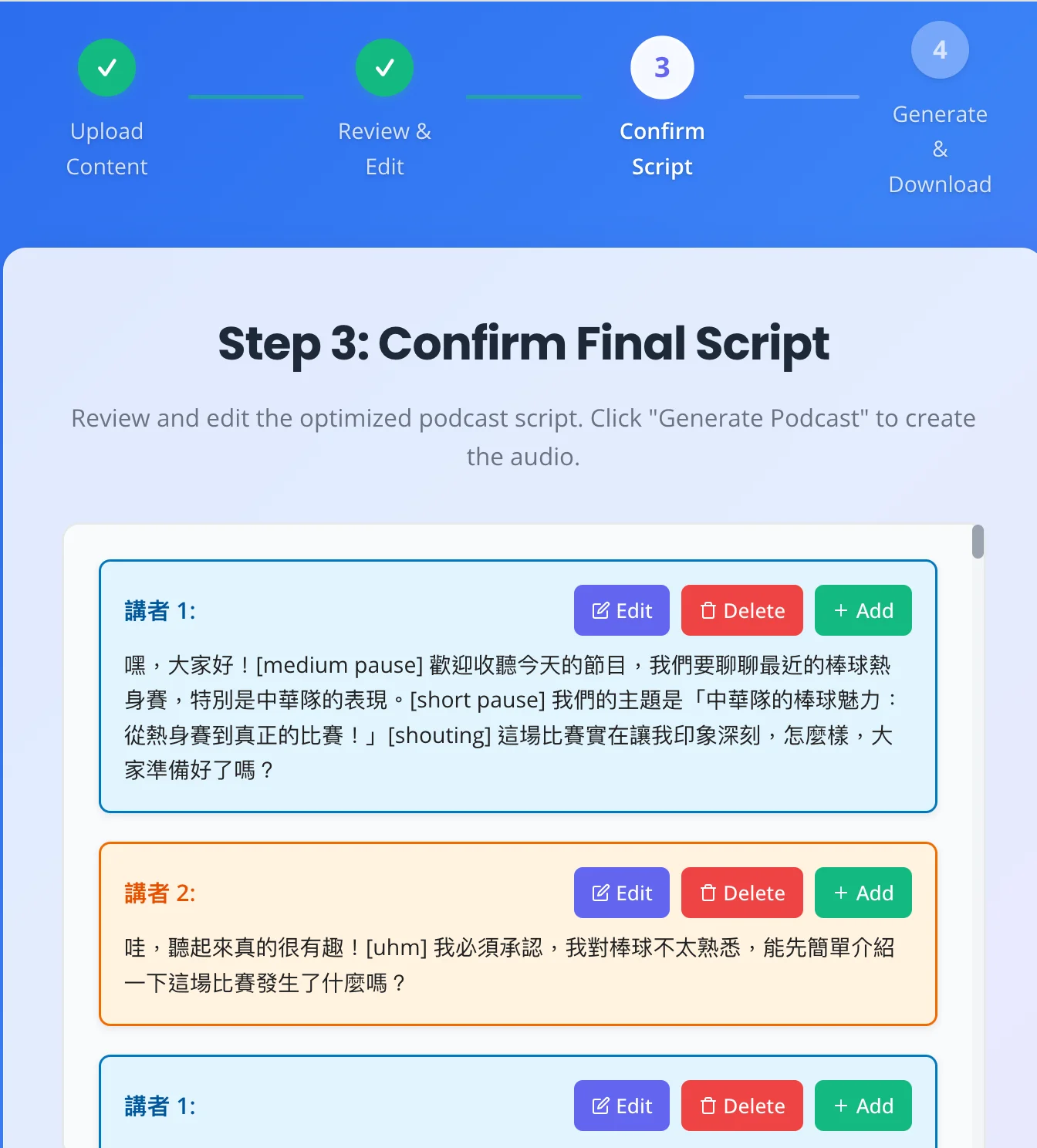
Step 3: Confirm Script and Voices
Review the optimized line-by-line script (Speaker 1 / Speaker 2). You can edit, delete, or insert new sentences line by line. After confirming the voice settings, click “Generate Audio” to proceed to Step 4.
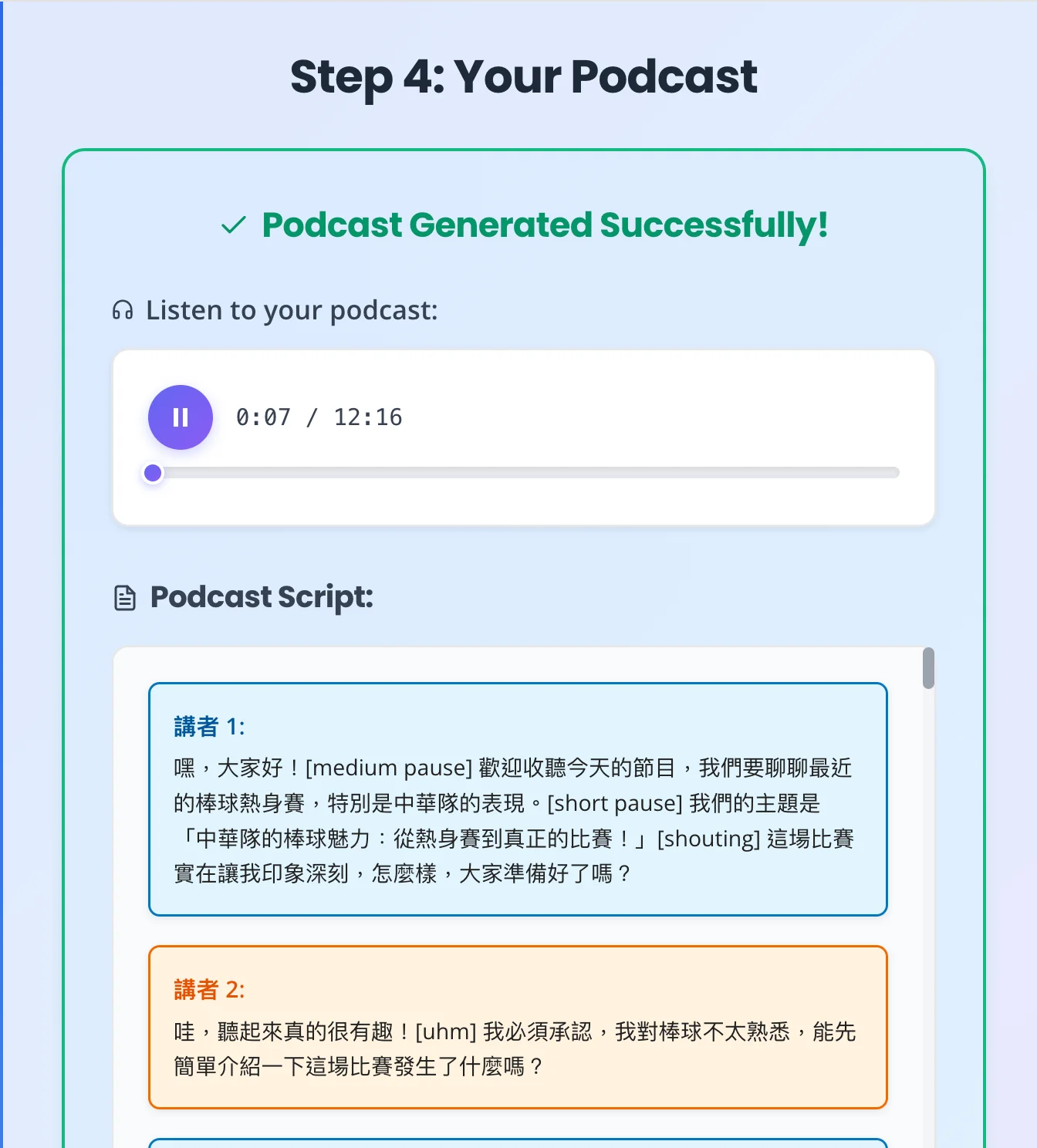
Step 4: Generate and Download
Displays the synthesis progress in real-time via SSE. Once completed, you can preview the audio, download the merged MP3 and transcript (PDF), or “Create New Podcast” to return to Step 1.
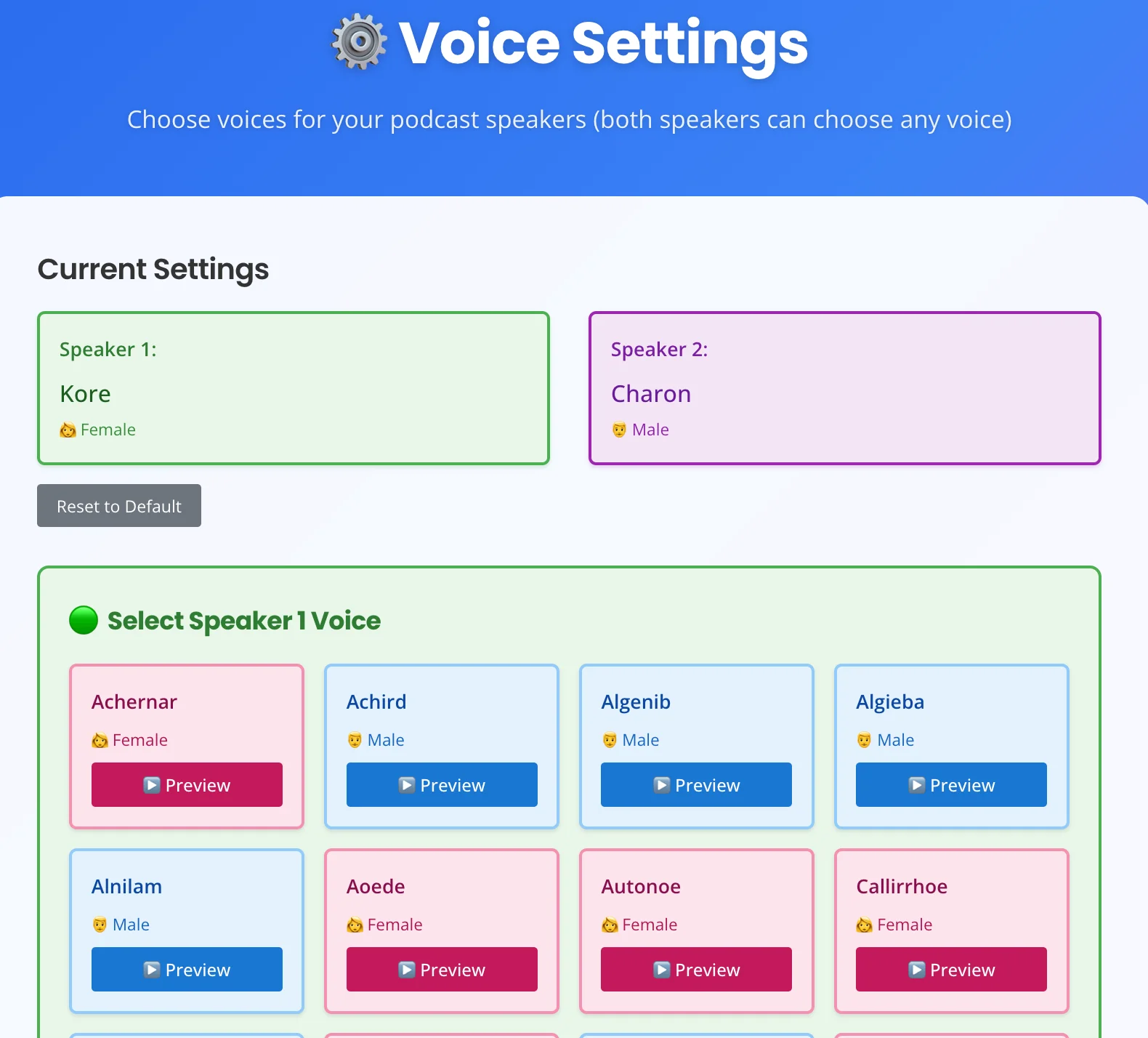
Settings Page: Voice Selection
Select TTS voices for Speaker 1 and Speaker 2. You can preview the voices, reset to defaults, or return to the homepage.
Tech Stack
- Backend — FastAPI, OpenAI API (Transcript Generation), Google Cloud TTS (Gemini 2.5 Flash), Pydub (Audio Processing), SSE-Starlette (Real-time Progress).
- Frontend — React 18, TypeScript, Vite, React Router, Axios.
Use Cases
Suitable for quickly converting long articles, speeches, notes, or scripts into listenable podcasts. Use cases include knowledge-based programs, audiobook previews, internal training, or content repurposing, allowing you to generate two-person conversational audio without having to record it yourself.