Project note
Realtime Voice AI
OpenAI Realtime API · Gemini Live · MCP · Voice-first, Low-latency Dialogue

Context
For customer service, internal assistants, or hands-free scenarios, there is a need for real-time voice-in, voice-out conversations instead of typing or reading long texts. The scenario aims to achieve a ChatGPT-like voice experience, with the ability to choose different models (OpenAI / Gemini) and extension tools (RAG, search, email, etc.) based on requirements.
Challenge
- Voice input and output require low latency, and need to be integrated with backend models and MCP tools. The architecture must support WebRTC/WebSocket and streaming.
- Different teams may prefer different models (OpenAI Realtime API vs. Gemini Live), requiring support for multiple models and API Key/project configurations.
- Tool augmentation (RAG, grounding, email) needs to be integrated with the frontend/backend via the MCP protocol.
Solution
This project is a production-like voice AI architecture: achieving a ChatGPT-like experience through a microphone, driven by OpenAI Realtime API or Google Gemini Live, and extending capabilities with knowledge, search, email, and workflows via MCP tools.
Key Features
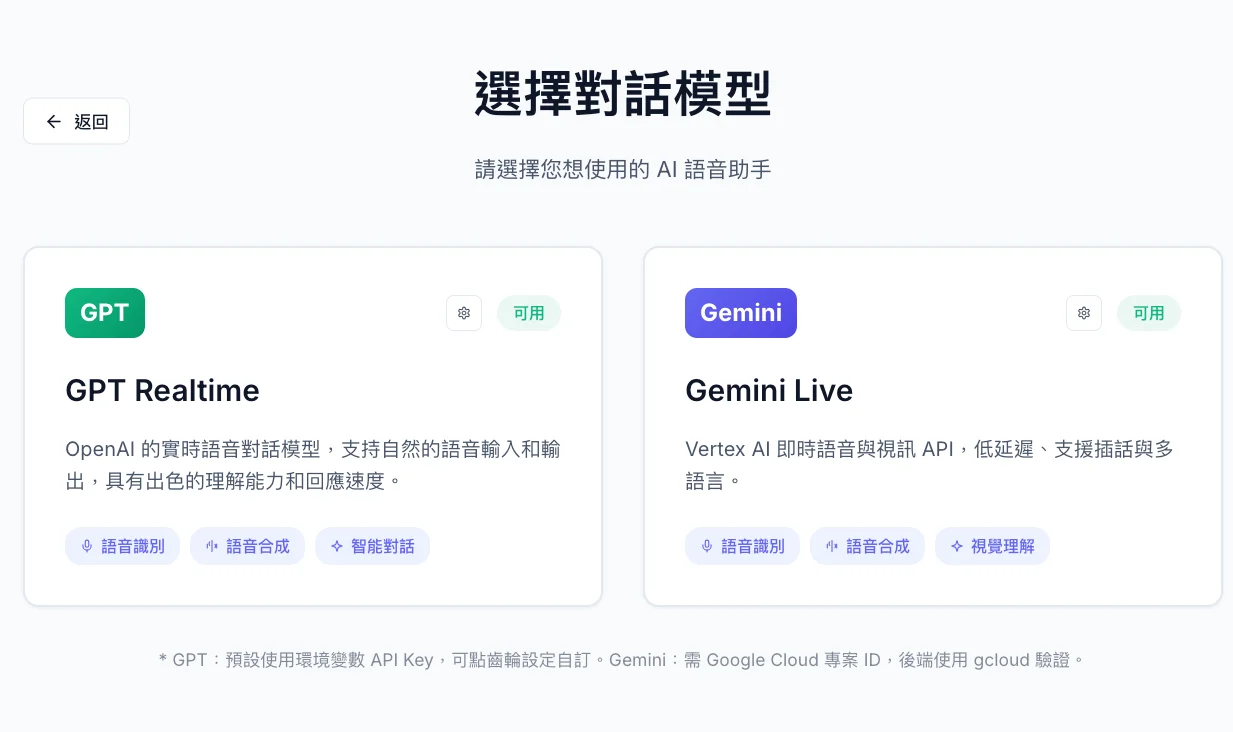
- Model Selection — Choose GPT Realtime (OpenAI) or Gemini Live (Vertex AI) on the model selection screen; API Key/Project ID can be configured for each card.
- Real-time Voice Input and Output — Low-latency speech-to-text and text-to-speech; supports Traditional Chinese and English.
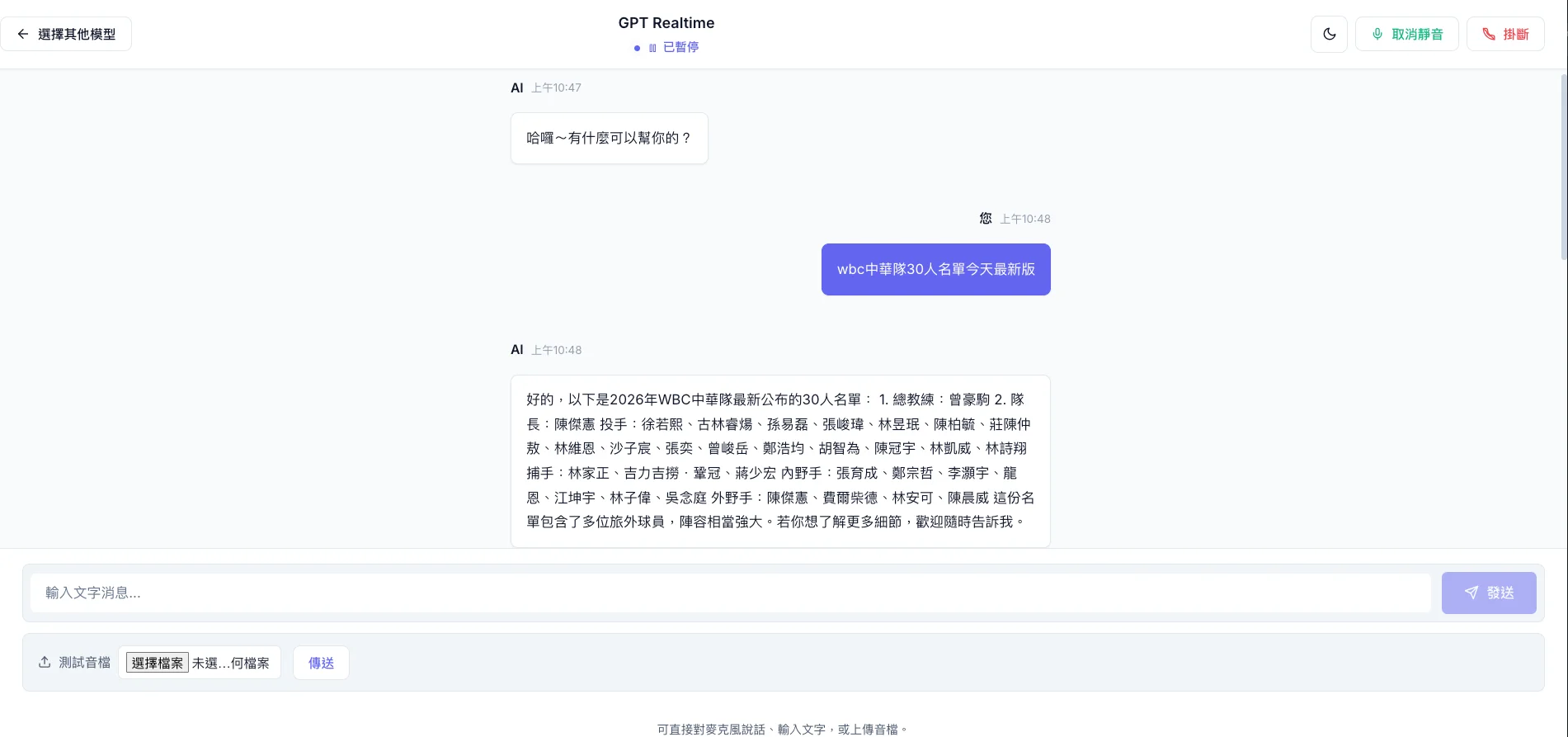
- GPT-like Chat Interface — Message bubbles, streaming text, and clear connection status (listening/paused/ended).
- Dark/Light Mode — Theme switching, which can detect system preferences and remember choices.
- Connection Control — WebRTC connections can be paused/resumed and hung up; status is clear at a glance.
- MCP Tools — Model Context Protocol supports time query, RAG (e.g., M365), grounding (Google Search), and Email MCP (optional, Streamable HTTP, port 8082); easily extendable with more tools.
Interface Preview
Model Selection — Choose GPT Realtime or Gemini Live; configure API Key/Project ID per card.
Chat — Real-time voice and text streaming, connection status, and control buttons.
Architecture
Voice input is sent to the selected model via WebRTC (or WebSocket). On the OpenAI side, a small MCP proxy server issues short-term tokens, keeping the API key away from the frontend. Gemini Live is handled by a Python backend (gemini_backend.py) for Vertex AI and tokens. The models can call MCP tools (RAG, grounding, email, custom APIs); responses are played back as streaming text and audio.
Browser (React) → WebRTC/WS → [OpenAI Realtime API ↔ MCP proxy] or [Gemini Live ↔ gemini_backend.py]
                              ↔ MCP tools (RAG, grounding, email, time) → Streaming Text + Audio → User
Repo Structure: first-agent/ (React, Realtime SDK, mcp-proxy-server.js, gemini_backend.py), grounding-mcp/, mcp_rag_server/, mcp_sent_mail/ (Email MCP). One-click npm run dev-full starts the MCP proxy, Gemini backend, optional Email MCP, and frontend (http://localhost:5173).
Tech Stack
- Frontend — React 19, TypeScript, Vite; OpenAI uses
@openai/agents-realtime; Gemini Live is integrated ingeminiLive.ts. - Transport — WebRTC in the browser; WebSocket as a fallback when necessary.
- Models — OpenAI
gpt-realtime-mini-2025-12-15(configurable); Gemini Live via Vertex AI (GOOGLE_CLOUD_PROJECT,gcloud auth application-default login). - MCP — Proxy for OpenAI short-term tokens; RAG and grounding servers (stdio); Email MCP (Streamable HTTP, optional, disabled with
EMAIL_MCP_DISABLED=true).
Impact
- Model Selection: 2 options (OpenAI Realtime API, Google Gemini Live), API Key/Project ID can be configured per card, with a unified voice interface on the frontend.
- Tool Extension: MCP supports time query, RAG (e.g., M365), grounding (Google Search), and Email MCP (optional), with the ability to extend more tools as needed.
- Experience: Voice-in, voice-out, streaming text, and connection status (listening/paused/ended), suitable for customer service and hands-free real-time conversations.
Extension
- Connect more MCP servers (internal knowledge bases, CRM, ticketing systems) to expand the voice assistant’s capabilities.
- Reuse the architecture for production backends (authentication, usage control, multi-tenancy).
- Support more languages and voice models, or add scenarios like meeting summaries and real-time translation.