In a recent post on X, Andrej Karpathy suggested several ways to make language-model output easier to understand: ask for writing closer to ASD-STE100, request a diagram, generate an interactive web page, or go further and create a bespoke explainer video. He also predicted that as models take on more execution work, people will spend more time on oversight and understanding—and that large, custom, disposable software artifacts may become worth making.
I read the post as a practical design question: the goal is not a more impressive model output; it is an interface that helps a person complete a specific understanding task. Text, diagrams, web pages, and video are not steps on a ladder where each later format is automatically better. They externalize different kinds of thinking and introduce different failure modes and review requirements.
Choose the representation after defining the learning task
The same technical subject can be explained in different forms, but each form directs the reader’s attention elsewhere. Take the question of why a database index can speed up a query. Text can define the index, its cost, and its limits. A diagram can show how a tree narrows the search. An interactive page can let a reader vary the data volume or branching factor and observe how the number of steps changes. A video can animate a node split or trace one query through the index over time. These are different ways to explain the same subject; none is automatically more correct.
| What the reader needs to do | A useful format | The key review question |
|---|---|---|
| Understand a precise definition, procedure, or limitation | Concise prose or controlled language | Is each important claim correct, sourced, and explicit about its conditions? |
| See components, dependencies, or a causal claim | Diagram | Are the nodes and links supported? Does the drawing imply causality that the source does not establish? |
| Compare states, explore a parameter, or inspect branches | Interactive page | What does each control change? Are defaults, data, and edge cases visible? |
| Understand a mechanism changing over time | Explainer video | Do narration, visuals, and sequence agree? Can people access important visual information another way? |
That is why “turn the answer into a diagram” is not a universal quality upgrade. A flowchart can hide uncertainty. An interactive control can make demonstration values look like real measurements. Music, pacing, and animation can make an incorrect explanation easier to remember. A format is a cognitive interface—and it comes with its own failure modes.
Controlled language is a writing aid, not proof of compliance
ASD-STE100, or Simplified Technical English, is more than a request to “write simply.” The standard’s official FAQ describes a controlled dictionary and a set of writing rules for clear technical documentation with less ambiguity. It was originally developed for aircraft maintenance documentation. Correct use still requires writers to understand both the technical subject and the rules.
So “80% of the way to ASD-STE100” is best treated as an informal style prompt, not a statement that the result complies with the standard. The ASD page describing its white paper on AI warns that AI text may look clear, authoritative, and consistent with STE without correctly applying its rules and vocabulary. Plausibility is not verified compliance. The guidance also says AI can support technical authors, but cannot replace professional knowledge and review.
The same principle applies to other media: a format can improve readability, but cannot replace source checking. A diagram still needs its connections checked against evidence; a web page still needs its calculations and defaults tested; a video still needs its narration and storyboard reviewed.
Write a short “understanding artifact contract”
Instead of asking an LLM to “make a great explainer video,” specify who the artifact is for, what they should be able to do, and how the result will be checked. Start with five items:
- Reader and task: What does the reader already know? Should they explain, compare, predict, or perform something afterward?
- Shape of the knowledge: Is the problem a definition, a relationship, a variable to explore, or a change over time? Choose text, a diagram, an interactive page, or video accordingly.
- Evidence boundary: Name the sources. Ask the model to separate sourced facts from assumptions and inferences, and flag what it cannot verify.
- Acceptance test: Request inspectable text, data, or calculations. Then use a new example to test transfer, not just recall of the original wording.
- Artifact lifecycle: Say whether this is a personal one-off aid, a shared team resource, or a formal decision document. The latter two need an owner, version, and update plan.
For example, a prompt for explaining query indexes could look like this:
Reader: A junior engineer who knows basic SQL but not database indexes.
Goal: The reader can explain how an index narrows a search and what it costs to update.
Format: Start with a component diagram; propose a minimal HTML prototype only if interaction helps.
Evidence: Use only the attached database documentation and link each claim to its source section.
Limits: Separate documented facts from explanatory assumptions. Do not invent performance numbers.
Review: Provide a plain-text summary, inspectable diagram legend or calculations, and one case where an index may not help.
This contract moves the request from “make something impressive” to “solve this reader’s understanding problem.” It also gives a human reviewer something concrete to inspect: the goal, evidence, representation, and boundaries.
Interactive pages and video add execution and accessibility responsibilities
When a model generates HTML, the output is no longer only readable text; it may be executable code. Even for a local, one-off demonstration, check what data it reads, which external scripts it loads, and whether controls only change the display or cause side effects. If it needs a voice service, do not paste a real API key into the prompt or embed it in frontend code. ElevenLabs’ authentication docs say to treat API keys as secrets and not expose them in browsers. Use a controlled backend or secret-management mechanism to supply narrowly scoped credentials, and set usage limits.
Video is more than an image that moves. For teaching or publication, review narration, visuals, captions, and transcript together. Under WCAG 2.2, prerecorded synchronized media has caption requirements; Level AA also requires audio description for prerecorded video so people who cannot see important visual information can access it. That means “the model exported an MP4” is not the finish line. Check that captions match, narration covers important visuals, and a searchable, citable text version is available.
“Disposable” does not mean “mistakes do not matter”
Karpathy’s idea of disposable artifacts has a practical economic implication: if a diagram or small web page takes only minutes to produce, it can be made for a meeting, a debugging session, or one difficult concept without turning it into a product first. This lowers the production threshold, not the cost of being wrong.
Choose the governance level based on how the artifact will be used:
- Private, short-lived learning aid: it can be revised or discarded quickly, but still verify key facts. Do not give it unnecessary sensitive data or credentials.
- Shared team resource or decision aid: retain sources, assumptions, generation version, reviewer, and date. Set a re-check date if the underlying sources change.
- Formal training, product, or public content: add accessibility, security, licensing, ownership, and regression checks. Do not treat a prototype as a production interface.
If readers only see the final artifact and cannot inspect its sources or transcript, it may no longer be disposable in practice: it may have become a decision document that others rely on. Preserve enough provenance for the next person to know what it rests on, when it can be trusted, and when it needs to be rebuilt.
Test understanding, not only the output
The completion test should not be “the LLM made a diagram, page, or video,” or even “the author thinks it is clear.” Ask the reader to explain the mechanism in their own words without the artifact, apply the idea to a different case, or identify a condition where the conclusion does not hold. If they cannot, revisit the sources, concept decomposition, or representation—not just the animation, word count, or visual effects.
Karpathy’s prediction that human work will rise toward oversight and understanding is a useful direction to consider, not labor-market evidence established by this post. What we can say is that as production gets cheaper, people must choose problems, define acceptance conditions, review artifacts, and judge whether they actually help someone understand. The best LLM output is not the most polished, longest, or most interactive one. It is the one that helps the reader complete the task accurately with the least cognitive and verification cost.
For the machine-facing side of this idea, see how TypeSafe AI turns model output into typed decisions. For a research workflow that separates automated computation from human judgment, continue with Claude-shaped science. Choosing an AI software development environment offers another angle on AI-generated code and engineering workflows.
Sources and Further Reading
- Andrej Karpathy, X post on understanding language-model output through writing, diagrams, web pages, and explainer videos.
- ASD-STE100 FAQ — the purpose, rules, and controlled vocabulary of Simplified Technical English.
- ASD-STE100 and AI white paper page — why surface readability does not prove compliance and why professional review remains necessary.
- ASD STEMG: Tools for STE — limits, accuracy, and privacy considerations for language tools and AI assistance.
- W3C Web Content Accessibility Guidelines (WCAG) 2.2 — caption and audio-description criteria for prerecorded synchronized media.
- ElevenLabs API Authentication — API-key secrecy and frontend exposure.
Related engineering notes
- Cloud & Platform How to Use Zellij: Shortcuts, Clipboard, and Sessions A current-default reference for Zellij Pane, Tab, Resize, Scroll, Session, clipboard, and mouse operations, including the impact of custom keybindings.

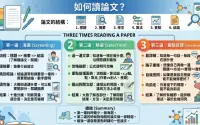
- Practice Notes Efficient Academic Paper Reading: The Three-Pass Approach Turning the 'three-pass reading method' into an actionable workflow: 5–10 minutes for screening, 1 hour to grasp methods and evidence, and 'virtually re-implementing' to master details. This article integrates Keshav's three-pass method with Mu Li's practical tips, complete with a checklist and literature review guide.
- Industry Pulse How to Read the Siri AI Hands-on: Beta Capabilities, App Intents, and Unsettled Boundaries Cross-checking The Verge's hands-on with Apple documentation: what iOS 27 Siri AI exposes in developer testing, what third-party apps can prepare, and what still requires beta evidence.