Lab note
Comprehensive Property Management System
React · TypeScript · Tailwind · Vite · Google Sheets

Comprehensive Property Management System is a comprehensive property management application that helps you manage owned or managed properties, tenants, contracts, maintenance requests, and asset information. The system supports two modes: local LocalStorage and Google Sheets cloud synchronization, aiming to simplify daily management processes, increase information transparency, and ensure all events are recorded.
This system is suitable for individual landlords, small to medium-sized property management companies, or sublet/management agencies, serving as a lightweight tool for centralized management of tenants, contracts, and maintenance tasks.
1. Main Modules and Features
- Home Dashboard: Centralizes the display of key information such as soon-to-expire contracts and rent receivables.
- Tenant and Client Management: Manages existing tenant profiles and emergency contacts, and can record potential clients’ requirements and follow-up status.
- Property and Asset Management: Manages basic information for each property, asset details (appliances/furniture/local amenities), maintenance records, and tracks the purchase date, price, and warranty of high-value assets.
- Contract and Rent Management: Supports monthly, quarterly, semi-annual, and annual payments, offering consolidated multi-period payments, supplementary payments, and amount reconciliation.
- Maintenance Tracking System: Handles tenant maintenance requests, tracking processing progress and resolution status.
2. System Interface and Operations
2.1 Home Dashboard
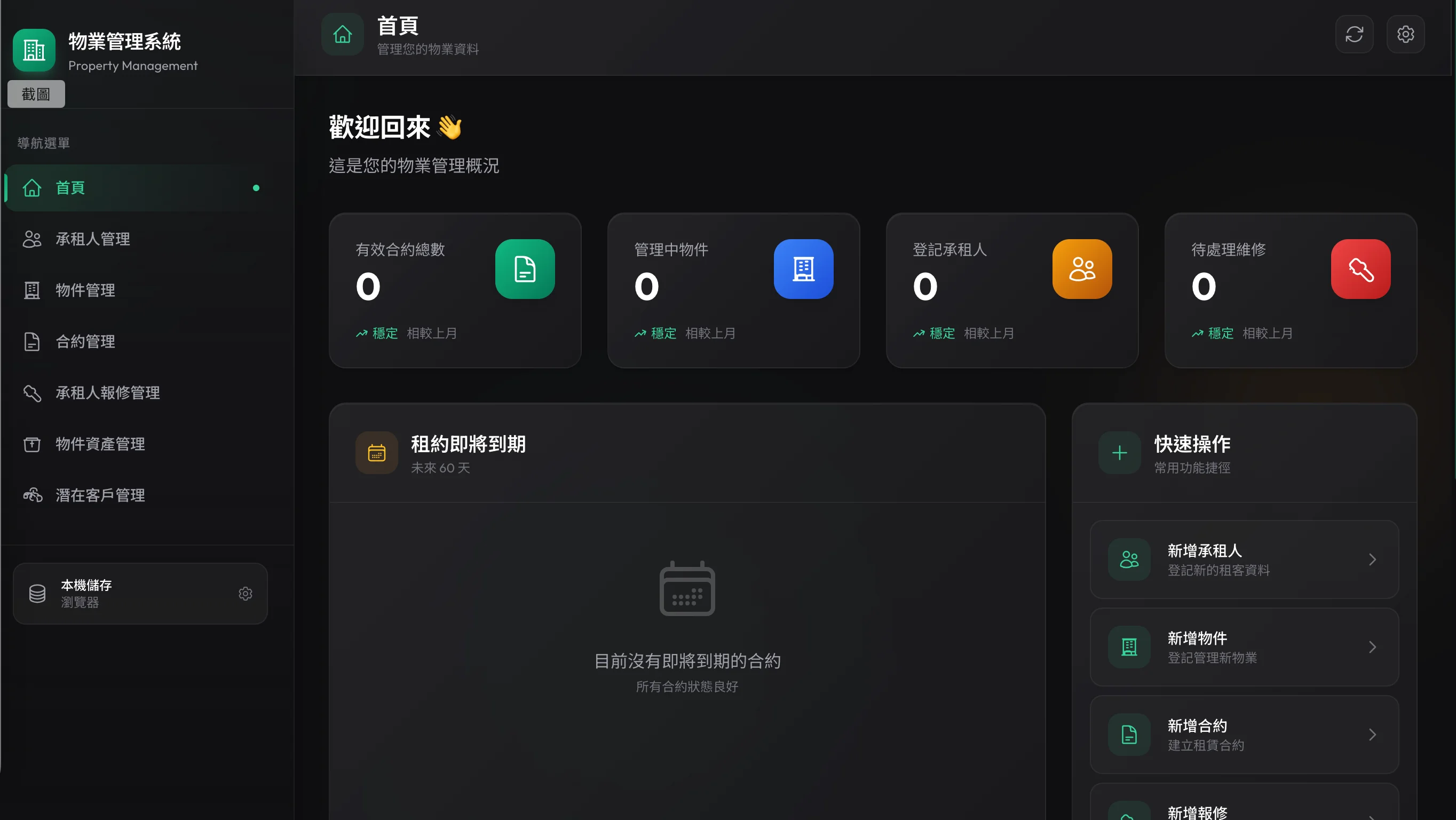
Upon logging in, the home page displays soon-to-expire contracts, pending payment reminders, and main navigation entrances, allowing administrators to grasp urgent tasks that need immediate attention at a glance.
2.2 Tenant and Property Management
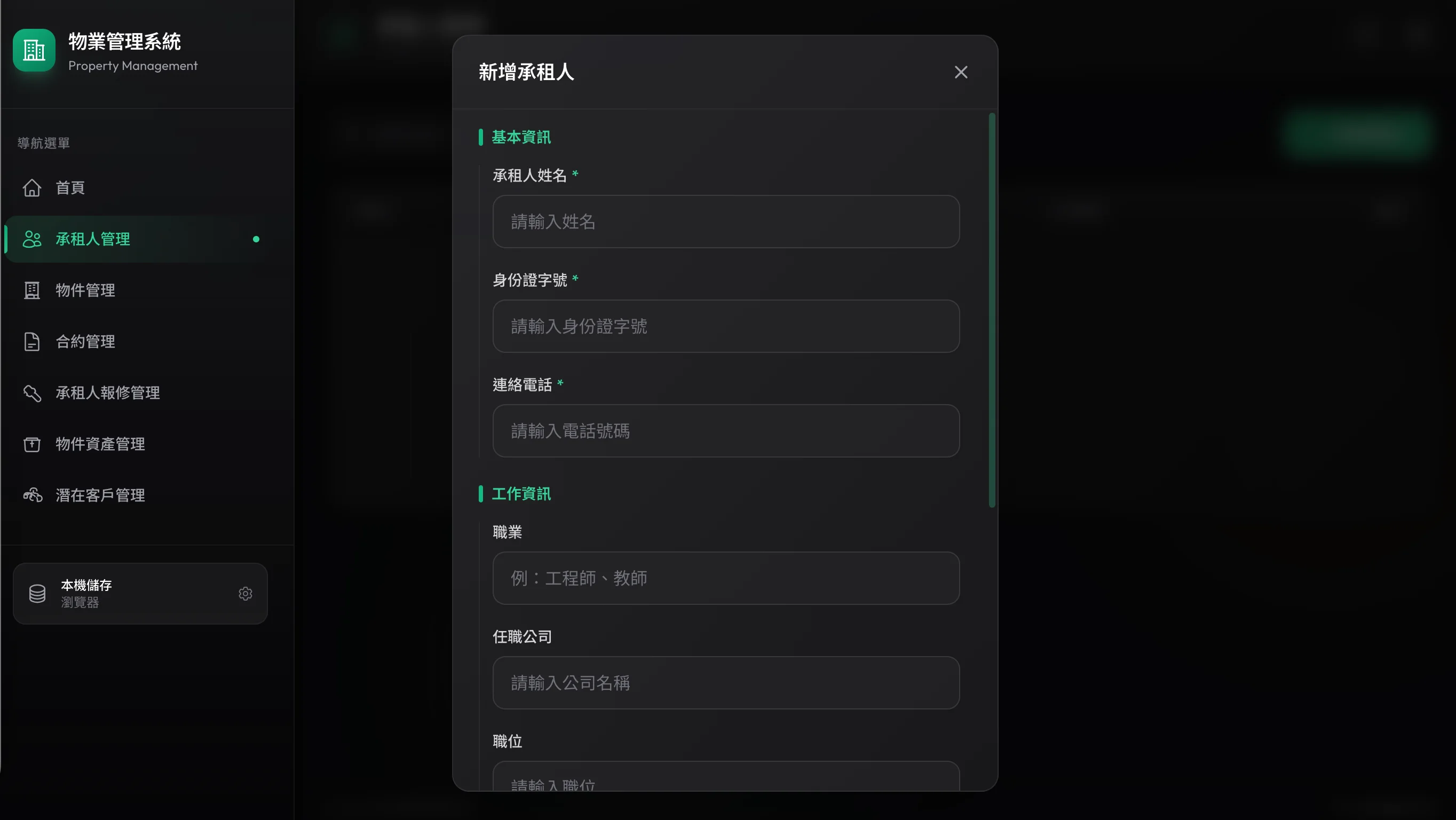
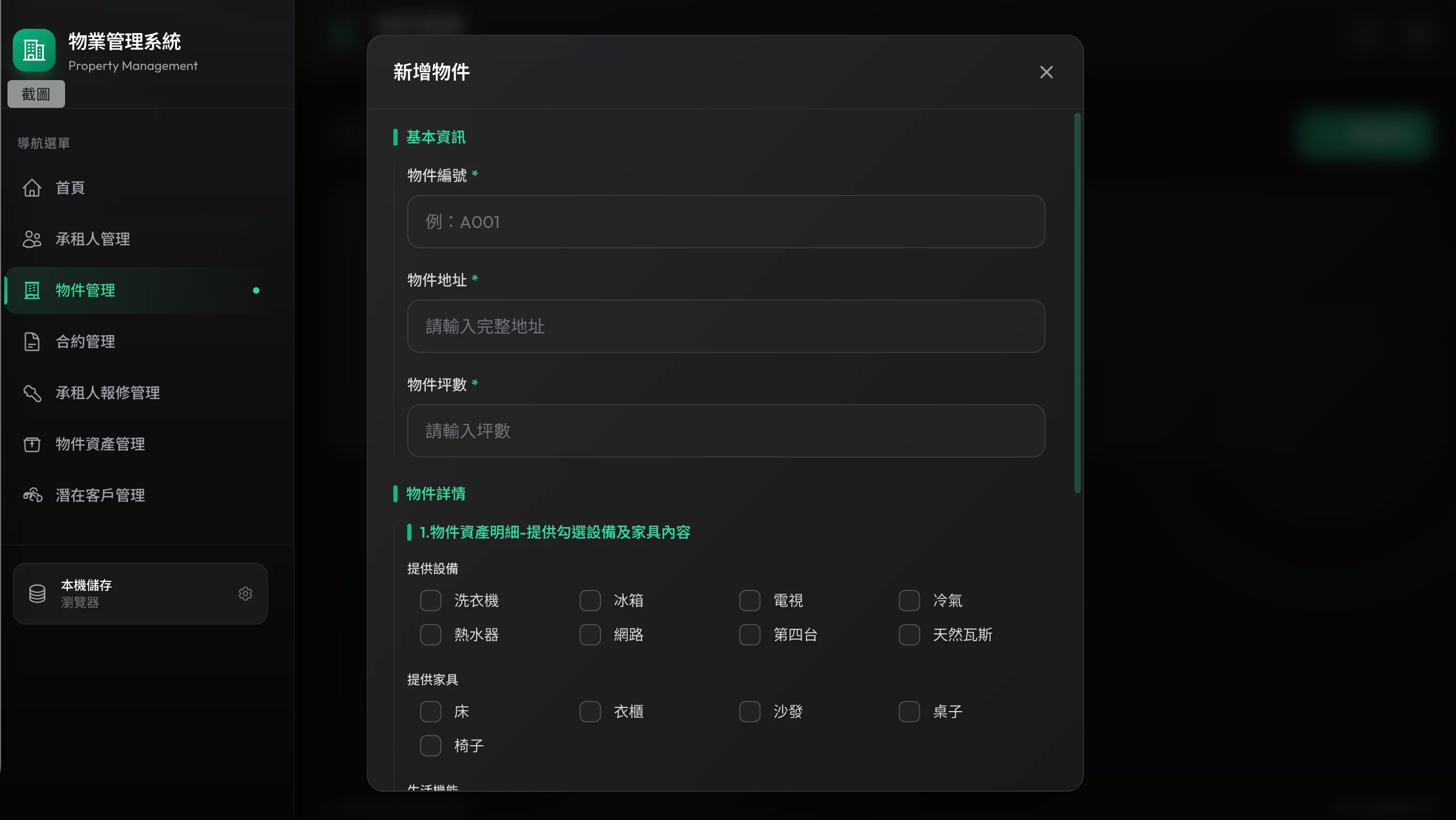
In the tenant and property management section, you can configure and check the appliances, furniture, and amenities included in the property in detail, and bind specific tenants to properties.
2.3 Contract Management and Period Status
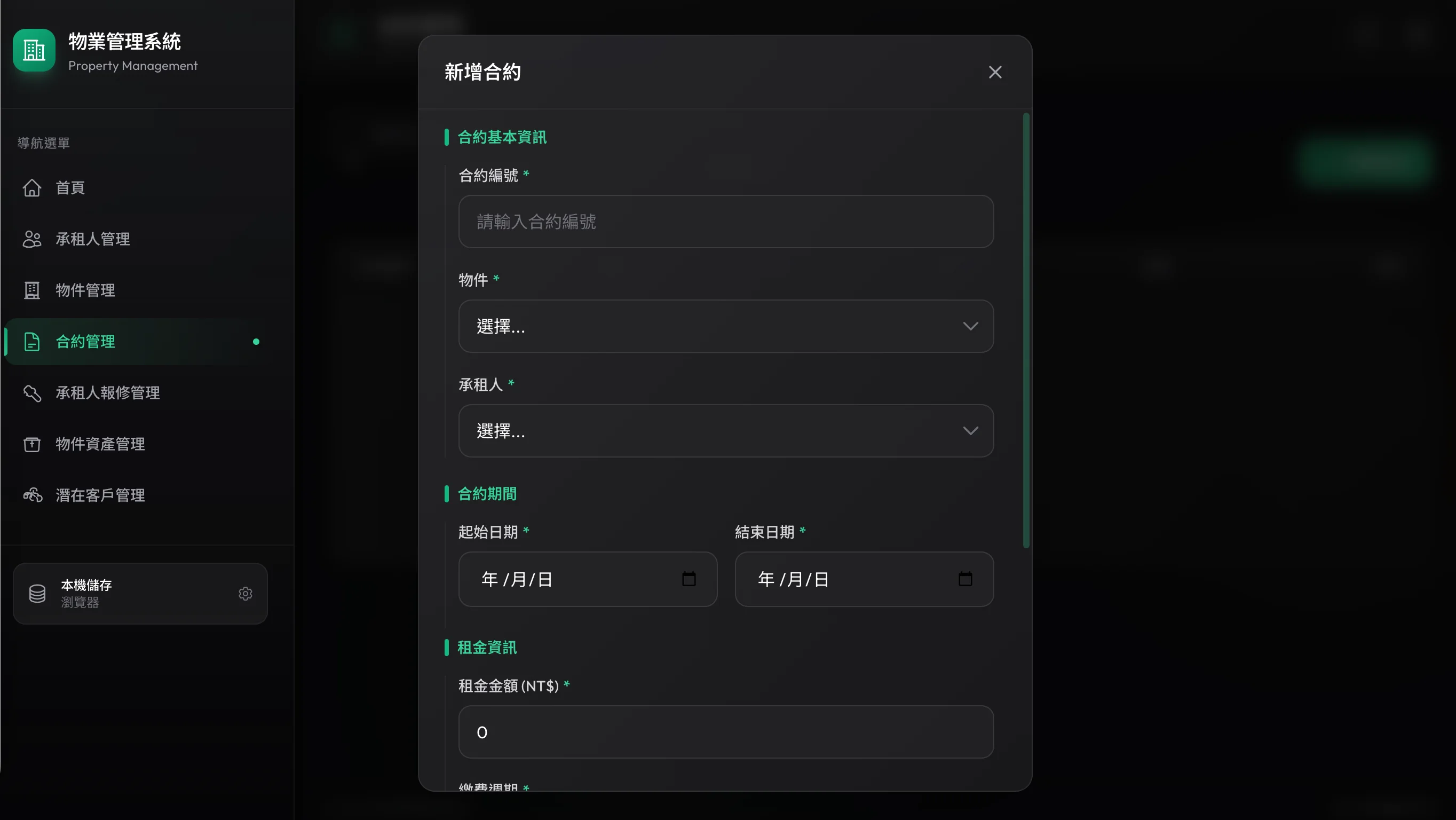
The system automatically generates the rent period and receivable amount for each term, and marks each period with statuses such as “Not Yet Due / Pending Payment / Paid / Payment Anomaly / Expired”.
2.4 System Settings and Cloud Sync
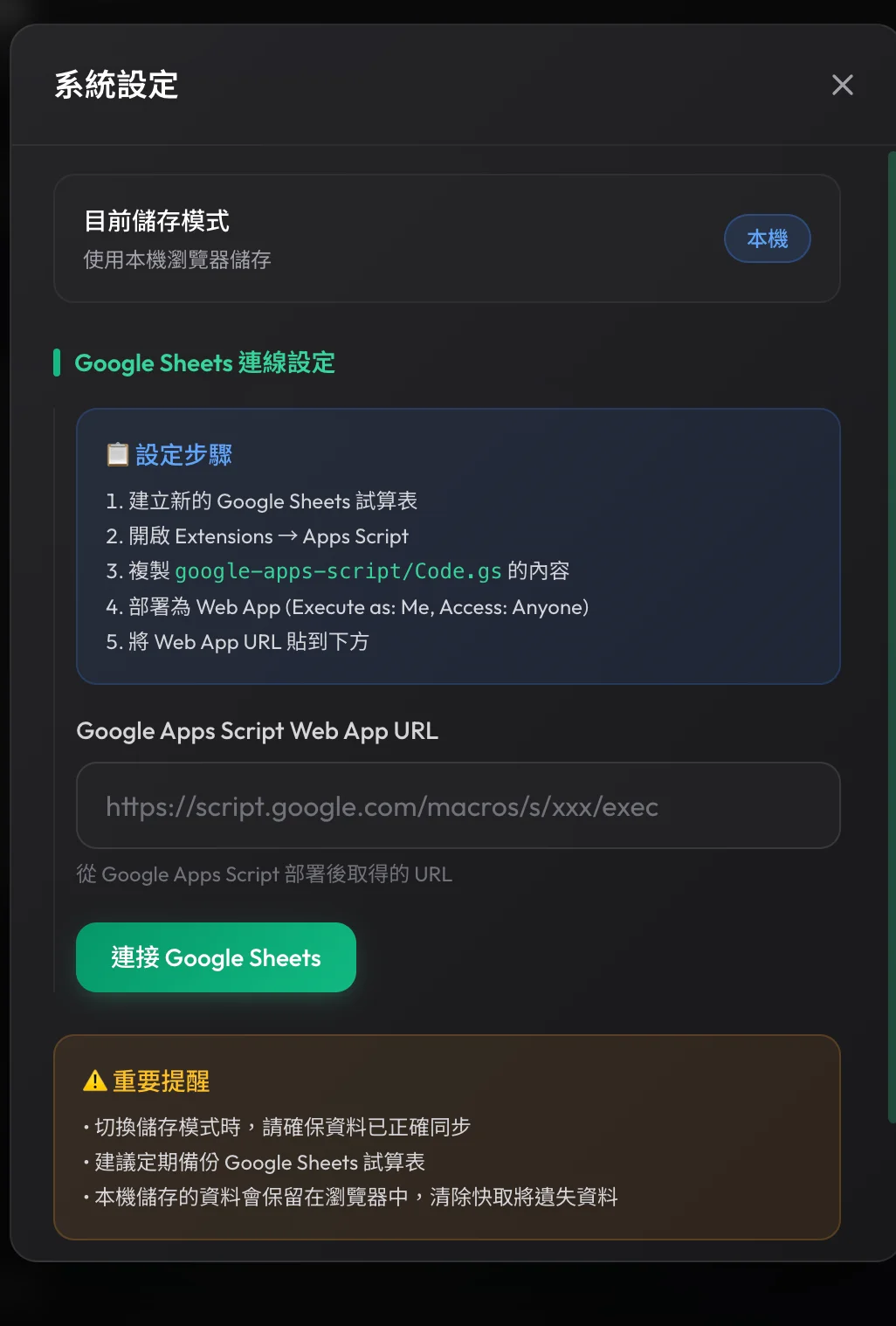
You can switch between local LocalStorage and Google Sheets cloud synchronization modes at any time, and configure the corresponding Apps Script Web App URL.
3. Architecture and Tech Stack
3.1 Frontend Architecture
- Framework and Styling: React 18 + TypeScript, developed with Vite. Tailwind CSS is loaded via CDN and the theme color is configured in
index.html. - State Management: Uses React Context (
DataContext) to centrally manage data sources like tenants, properties, and contracts, as well as sync modes.
3.2 Data Storage Strategy (Dual Mode)
- LocalStorage (Local Mode): The default storage method, suitable for rapid local usage and lightweight demos.
- Google Sheets (Cloud Sync): Communicates with Google Apps Script Web App via the
googleSheetsservice to sync multiple worksheets, making multi-person collaboration possible.
4. Project Development and Deployment
The project structure is clearly divided, facilitating future expansion:
components/                 # React UI components (Home, Contract Management, Property Management, etc.)
hooks/useLocalStorage.ts    # LocalStorage persistence Hook
contexts/DataContext.tsx    # Global data Context, encapsulating toggle logic
services/googleSheets.ts    # API for communicating with Apps Script
google-apps-script/ # Backend GAS code and SETUP instructions- Local Development: Run
npm installfollowed bynpx viteto start. - Deployment: The project is configured with GitHub Actions, automatically building and deploying to GitHub Pages upon pushing to the
mainbranch.