Project note
TrendScope Conference Trend Platform
Gemini · BigQuery · FastAPI · Web Scraper · Report Automation

Context
Technical conferences (such as Google I/O, Google Cloud Next, QCon) feature numerous sessions, with scattered transcripts and presentations. Teams need to grasp key points, categorizations, and trends in a short amount of time. The scenario requires converting transcripts, presentations, and scraped web content into queryable structured data and shareable reports.
Challenge
- Manually organizing key takeaways from multiple speeches takes days and makes it difficult to maintain consistent formatting and categorization.
- Transcripts, presentations, and agenda webpages come from various sources, requiring unified extraction and storage before being handed over to AI for summarization.
- The output must cater to both human reading (Markdown / HTML reports) and subsequent querying (BigQuery, dashboards).
Solution
TrendScope is a conference trend analysis platform designed specifically for technical conferences and large-scale events. It can batch process transcripts, presentations, and scraped web content, generate structured summaries through Google Gemini, and write the results to BigQuery, before generating Markdown / HTML reports via backend APIs and frontend interfaces.
Key Features
- Batch Processing & AI Summarization — Uses scripts to batch read conference transcripts and presentation content, calling the Gemini API to generate multi-level summaries (session summaries, topic categorizations, overall trends).
- Topic & Category Organization — Organizes session content by technical topics (e.g., LLM, MCP, MLOps, Data), generating browsable category pages.
- Web Scraper Integration — Built-in scraper modules for multiple conference websites to uniformly extract agenda information and descriptive text, writing to BigQuery before handing off to AI for organization.
- BigQuery Data Management — Uses BigQuery as the conference data hub, facilitating queries for session, speaker, and topic statistics, and supporting subsequent dashboard or BI report integration.
- Automated Report Generation — Scripts and the FastAPI backend automatically generate Markdown / HTML reports, including a homepage overview, category pages, and session details, corresponding to the GitHub Pages demo site.
Architecture & Modules
The core structure of the project is as follows (excerpt):
TrendScope/
├── base/              # Backend APIs and core modules
│   ├── api/           # FastAPI application and routing
│   ├── bigquery/      # BigQuery client and schema definitions
│   ├── scrapers/      # Conference scrapers and parsers
│   ├── gcs/           # Google Cloud Storage related tools
│   └── utils/         # Shared utilities (logging, error handling, etc.)
├── config/            # Configurations and Pydantic-based settings management
├── scripts/           # Batch processing scripts (summaries, category pages, homepage, etc.)
├── frontend/          # React frontend (report browsing interface)
└── data/output/logs # Input data, output reports, and logs- FastAPI Backend — Provides APIs for PPT/PDF uploads, scraper management, BigQuery querying, and report generation, along with
/docsSwagger documentation and health check endpoints. - Gemini Summary Pipeline — Triggered by scripts like
01_batch_summarize_process.py, converting raw text into structured summaries, and writing them to BigQuery or outputting as Markdown. - Scraper Modules — Implements parsers and extraction logic for different conference websites, uniformly outputting to a standard schema for easy subsequent processing.
Interface and Operation Flow
The following screenshots demonstrate TrendScope’s end-to-end operation flow (from the demo site poirotw66.github.io/TrendScope/).
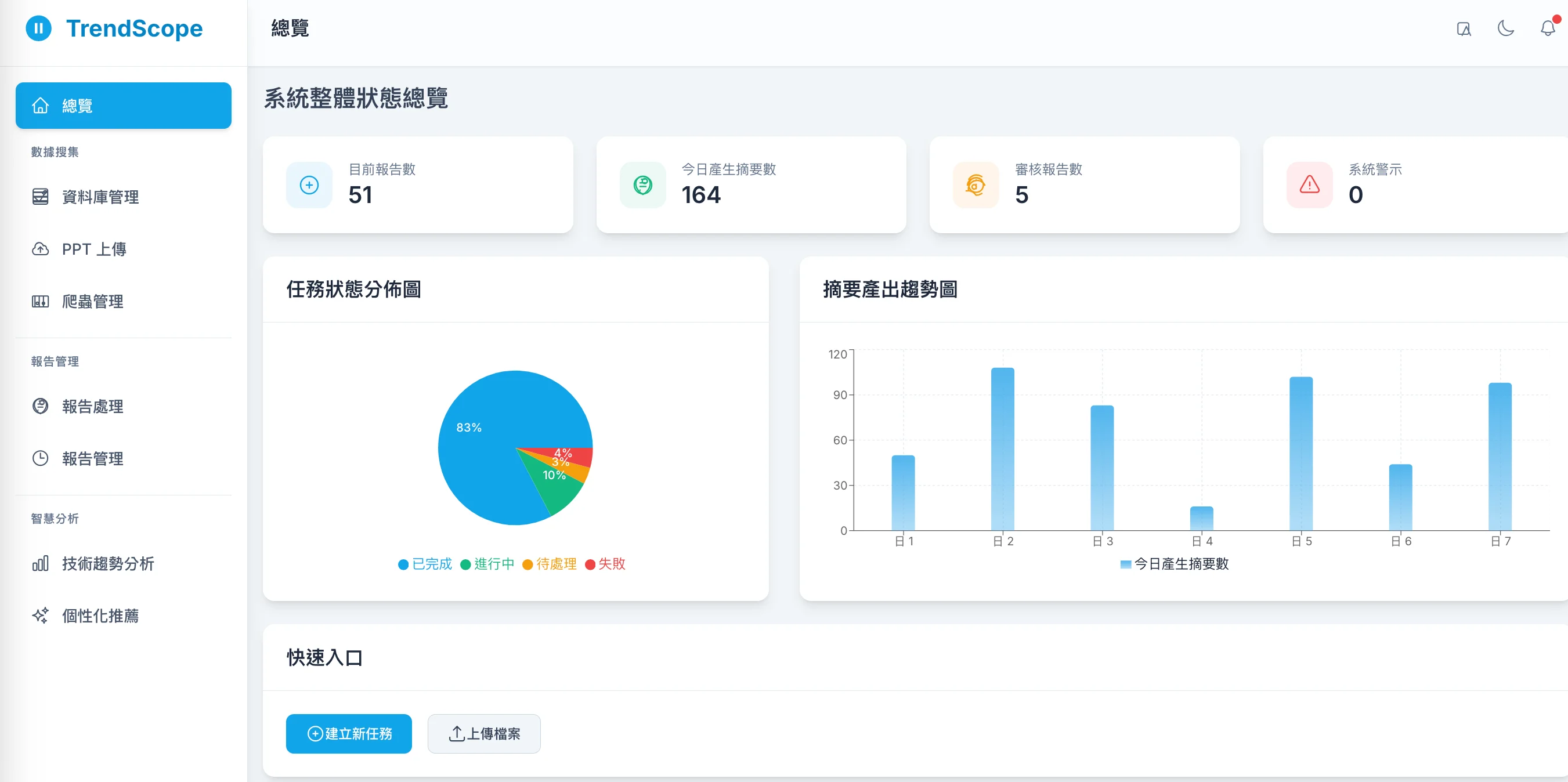
1. Homepage Dashboard
A centralized portal to quickly browse currently supported conferences, report access points, and processing status.
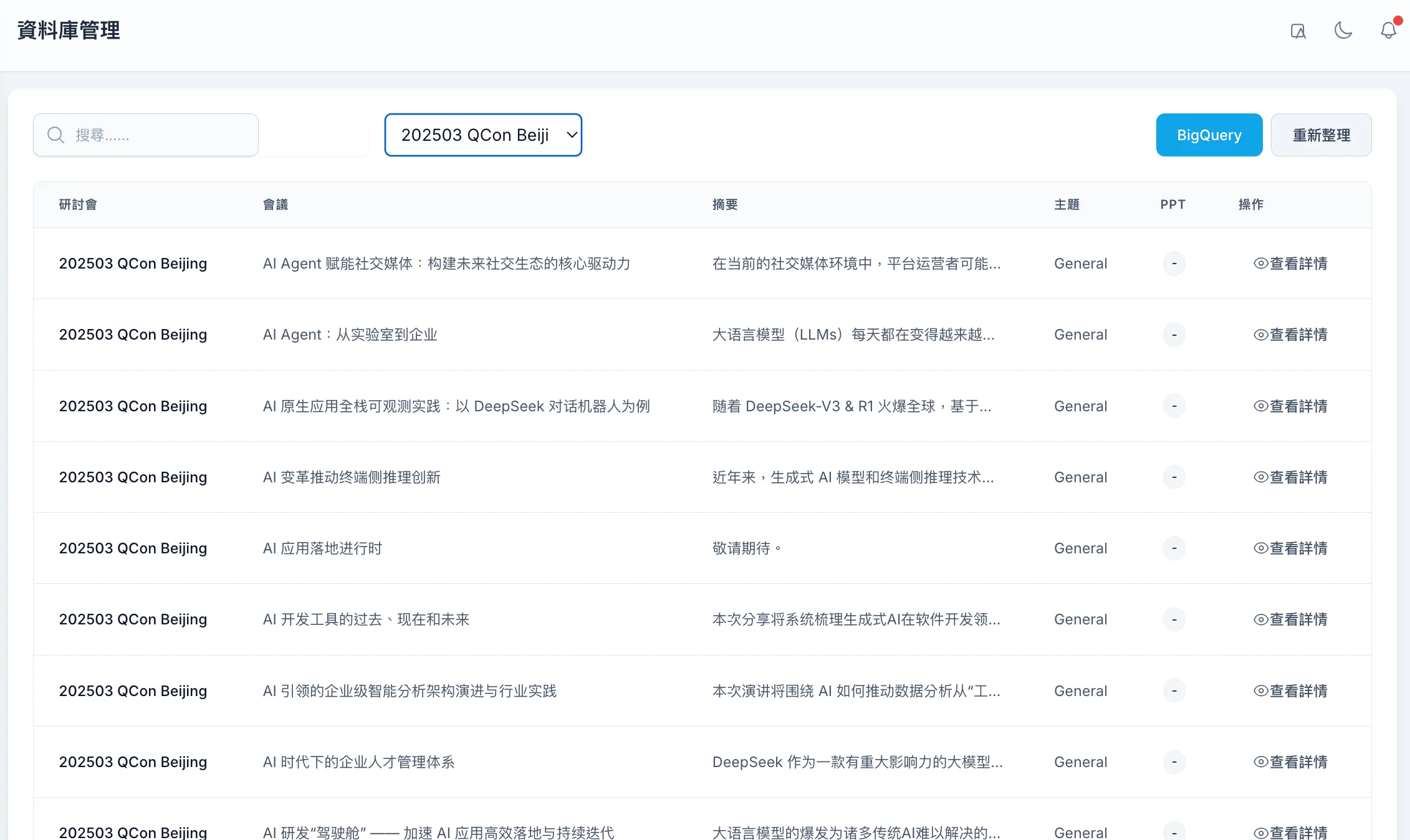
2. BigQuery and Data Settings
Displays and configures BigQuery projects, datasets, and tables, allowing users to view raw and processed conference data as the source for subsequent report generation.
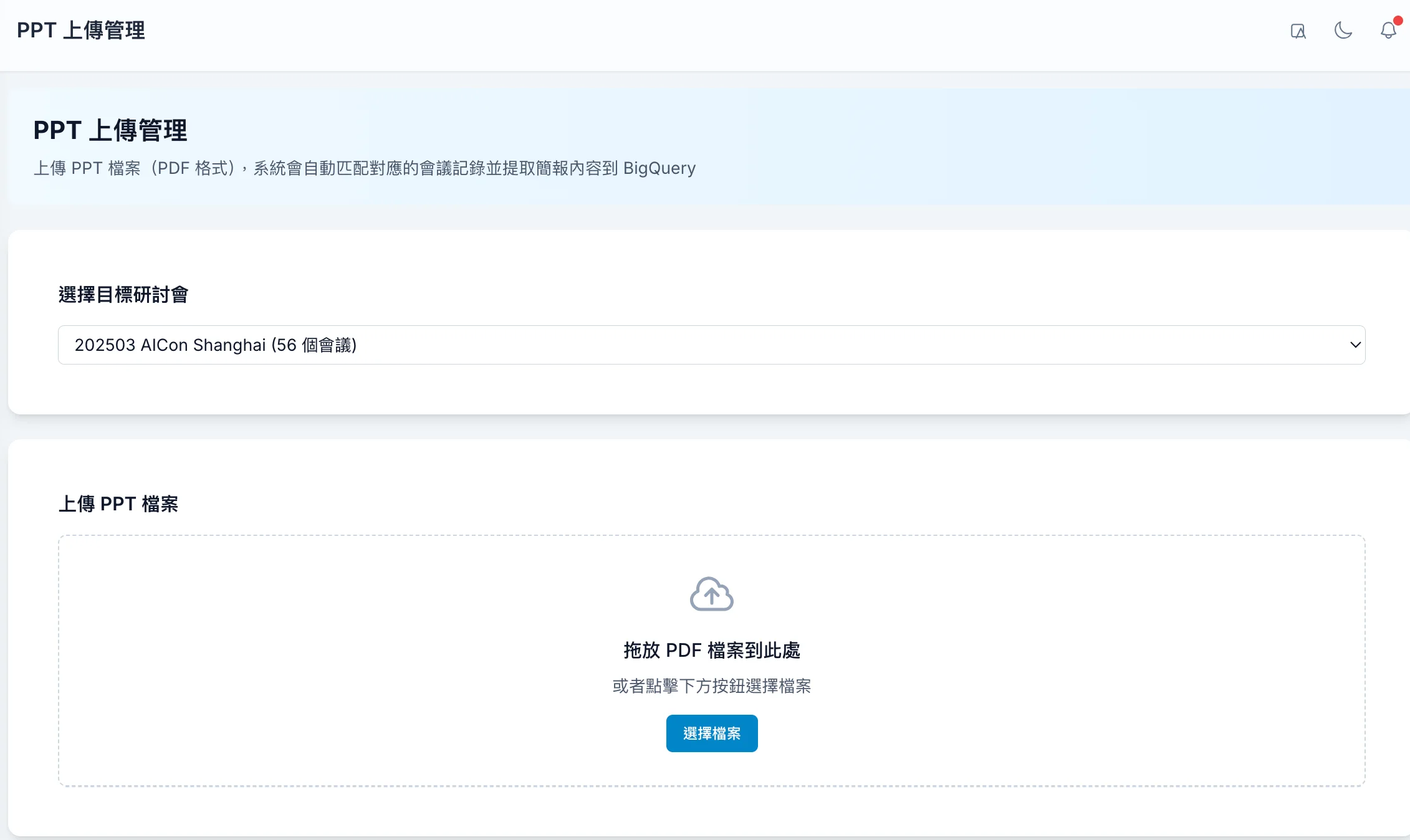
3. PPT / PDF Upload and Processing
Upload conference presentations (PPT/PDF) to start the Gemini summarization pipeline, converting presentation content into searchable and analyzable text and summary data.
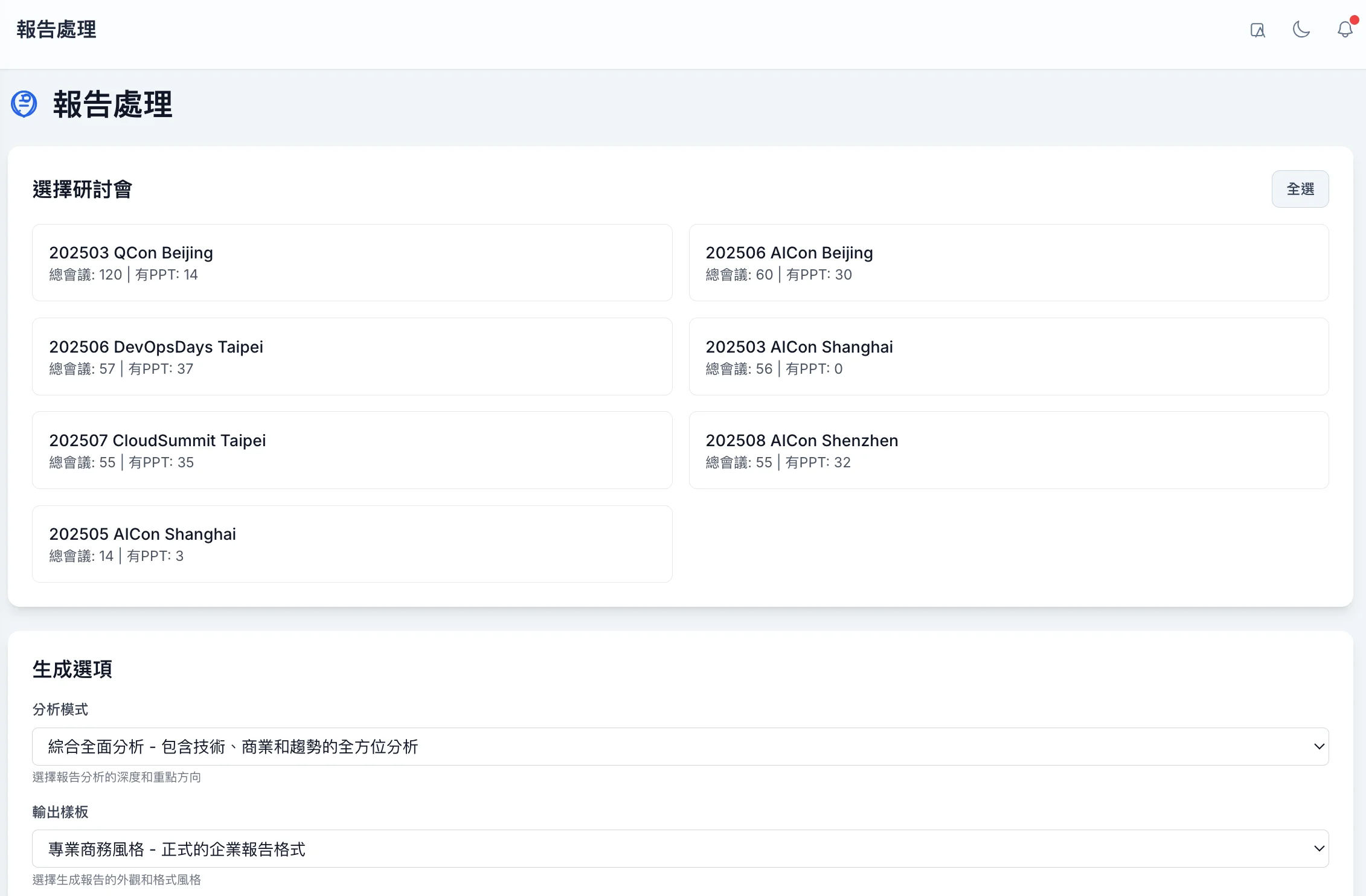
4. Batch Report Generation Page
Configure the conferences to process, data sources, and output paths, and trigger batch report generation with a single click, producing multiple Markdown / HTML reports.
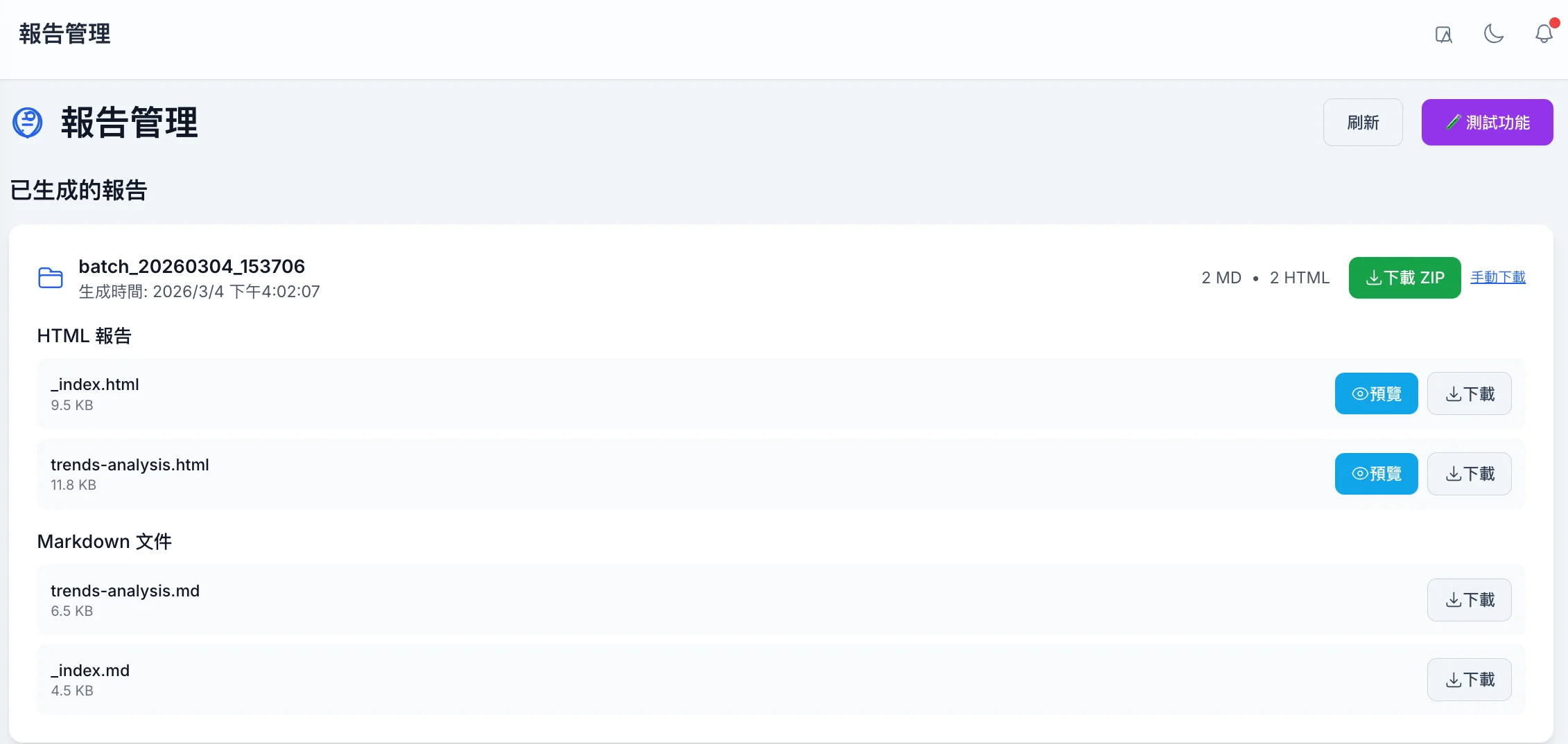
5. Generated Report Viewer
Browse generated Markdown / HTML reports, which include agenda lists, summaries for each session, and overall trend analysis. These can be published directly to GitHub Pages or internal portals.
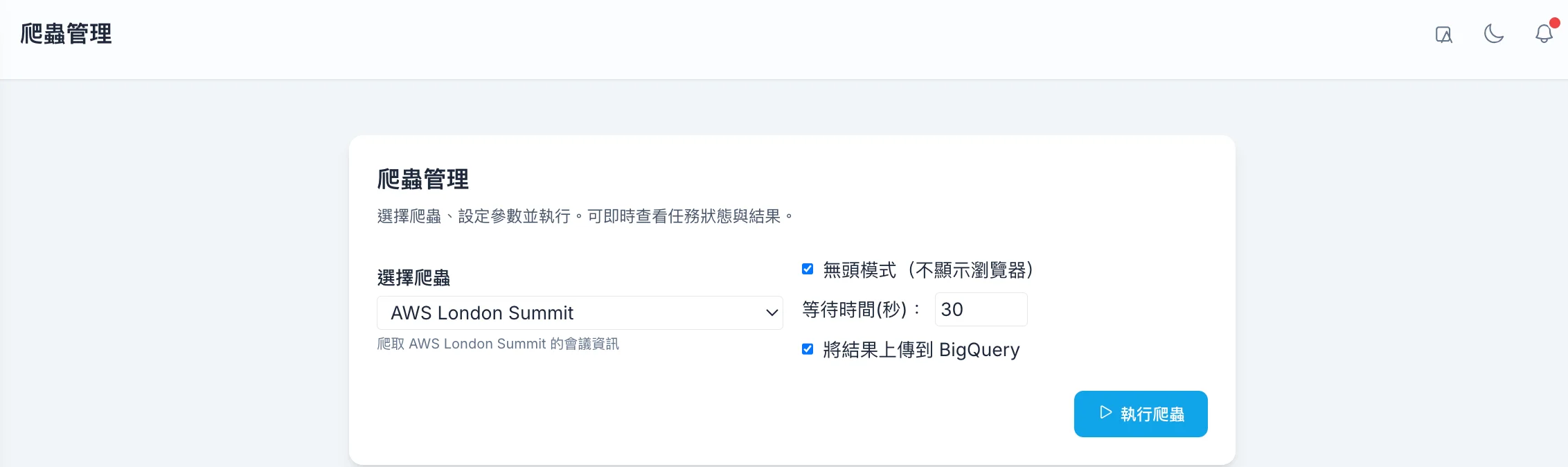
6. Scraper Management
Centrally manage and launch scraper tasks, including selecting conference sources and whether to use Headless mode, and write the results to BigQuery or output them to files.
Impact
- Process Transformation: Manual organization of conference highlights has been shortened from days to one-click generation of structured reports (Transcripts/Presentations → Gemini Summarization → BigQuery → Markdown / HTML).
- Data Layer: BigQuery serves as a single data hub, supporting session, speaker, and topic queries as well as subsequent dashboards/BI.
- Report Output: Homepage overviews, category pages, and session details can be automatically generated and published to GitHub Pages or internal portals.
Extension
- Connect more conference scrapers and agenda sources to expand session coverage.
- Use the summarization results as a RAG knowledge base to support Q&A like “What was discussed in this session?”.
- Generate trend charts and keyword clouds for decision-making or external sharing.
For more details and source code, please visit the GitHub Project and Demo Website.